Canada Post Tracking Guide: How to Track Packages & Fix Issues
Do you have a package on the way? Whether it is a birthday gift from a friend or a new gadget you bought online, waiting for the mail can be a bit stressful. We all want to know exactly where our stuff is! That is where Canada Post Tracking comes in to save the day. It is a powerful tool that lets you follow your parcel’s journey from the moment it leaves the sender until it lands on your doorstep.
In this guide, I will share some “pro tips” I have learned from years of shipping and receiving packages. We will look at how to use the tracking number, what those confusing status updates actually mean, and how to get help if things go wrong. My goal is to make you an expert at canada post tracking so you never have to guess about your deliveries again.
How to Start with Canada Post Tracking
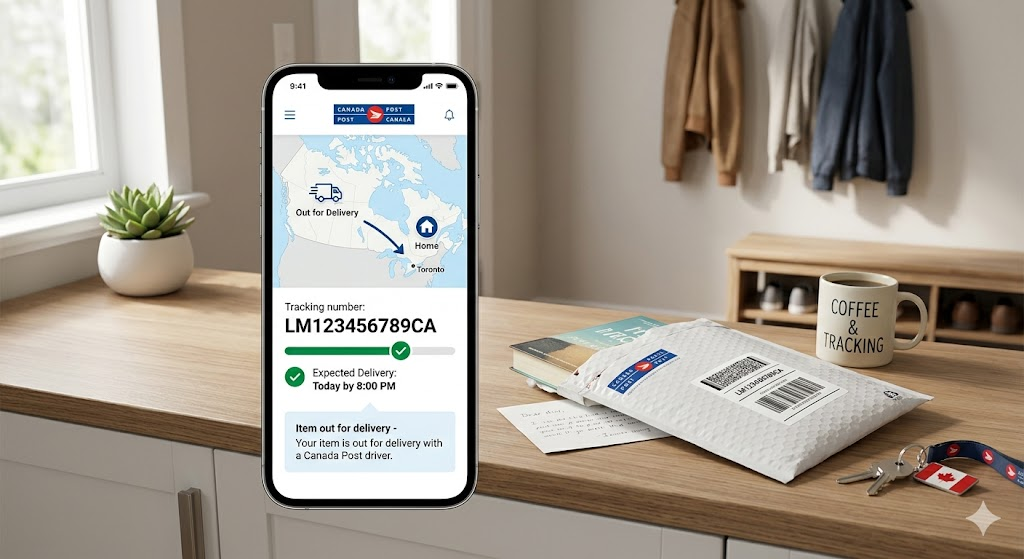
To get started, you need your unique tracking number. Think of this as your package’s “digital passport.” You can usually find it in your shipping confirmation email or on the paper receipt if you sent the item yourself. Most canada post tracking numbers are 16 digits long for domestic mail or 13 characters (a mix of letters and numbers) for international shipments.
Once you have that number, simply head over to the official website or use the mobile app. Just type the digits into the search bar, and “boom!” You will see exactly where your box is hanging out. It is super easy and works 24/7.
Understanding Your Delivery Status Updates
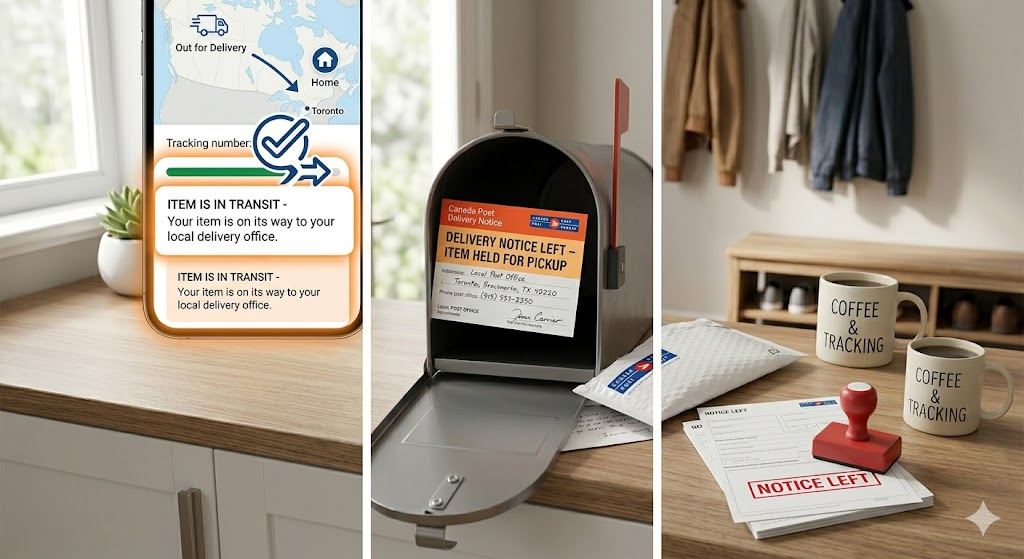
When you use canada post tracking, you will see different status words. “In Transit” is the one we love to see because it means your package is moving! If it says “Out for Delivery,” get ready—it should arrive by the end of the day.
Sometimes you might see “Notice Left.” This usually means the mail carrier tried to deliver but couldn’t leave the package safely. Maybe it was too big for the mailbox, or they needed a signature. Don’t worry! They will leave a card telling you which local post office is holding your item for pickup.
What is Automatic Tracking?
Did you know you don’t have to keep typing in that long number? If you sign up for a free account, you can use automatic tracking. This cool feature identifies packages coming to your address and adds them to your dashboard automatically.
I personally use this for my online shopping, and it is a lifesaver. You can even set up “push notifications” on your phone. This way, you get a little buzz every time your package moves to a new city. It makes canada post tracking feel much more modern and effortless.
Quick Comparison: Shipping Services & Features
| Service Name | Delivery Speed | Tracking Included? | Best Use Case |
| Priority™ | Next Day | Yes (Detailed) | Urgent & High Value |
| Xpresspost™ | 1–2 Days | Yes | Time-sensitive |
| Expedited Parcel™ | 1–7 Days | Yes | Online Shopping |
| Regular Parcel™ | 2–9 Days | Yes | Non-urgent / Heavy |
Why is My Tracking Status Not Updating?
It can be frustrating when your canada post tracking hasn’t moved in a few days. Usually, this happens because the package is between major sorting hubs. The barcode only gets a “scan” when it arrives at a new facility.
Weather, holidays, or even a busy “Black Friday” season can slow things down. If your status doesn’t change for more than five business days, it might be time to take action. However, in most cases, the package is still moving safely through the system; it’s just not near a scanner yet!
Tracking International Packages
Shipping something to the USA or overseas? Canada post tracking still works, but it might look a little different. Once the package leaves Canada, it is often handed over to the local postal service of that country (like USPS in the States).
During this hand-off, you might see a status that says “Item held by customs.” This is totally normal! Customs officers have to check every box to make sure it is safe. This can take anywhere from a few hours to a few days. Be patient, as neither the sender nor Canada Post can speed up the customs process.
How to Find a Lost Tracking Number
If you lost your receipt or deleted your email, don’t panic. First, check your “Deleted Items” or “Spam” folder in your email. If you bought something from a store, log into your account on their website; the canada post tracking info is usually listed under your “Order History.”
If you sent the package yourself and lost the physical receipt, it is a bit tougher. Canada Post usually cannot look up a number by your name or address for privacy reasons. Always take a quick photo of your receipt with your phone as a backup!
Using the Canada Post Mobile App
The mobile app is probably the best way to manage canada post tracking. It is free on both iPhone and Android. You can use your phone’s camera to scan barcodes, which saves you from typing those long 16-digit numbers.
The app also shows you a map of where the nearest post office is. This is super helpful if you need to pick up a “Notice Left” package. I find the app much faster than using a web browser, especially when I’m on the go.
When to Contact Customer Support
If your package is way past its delivery date and canada post tracking shows no updates, you should reach out for help. You can start a “missing package” claim online. You will need your tracking number and a description of the box.
The customer service team is very helpful. They can look deeper into the system to see if the parcel was misrouted. Just remember that they are people too, so being kind and patient usually gets you much better results!
Tips for a Successful Delivery
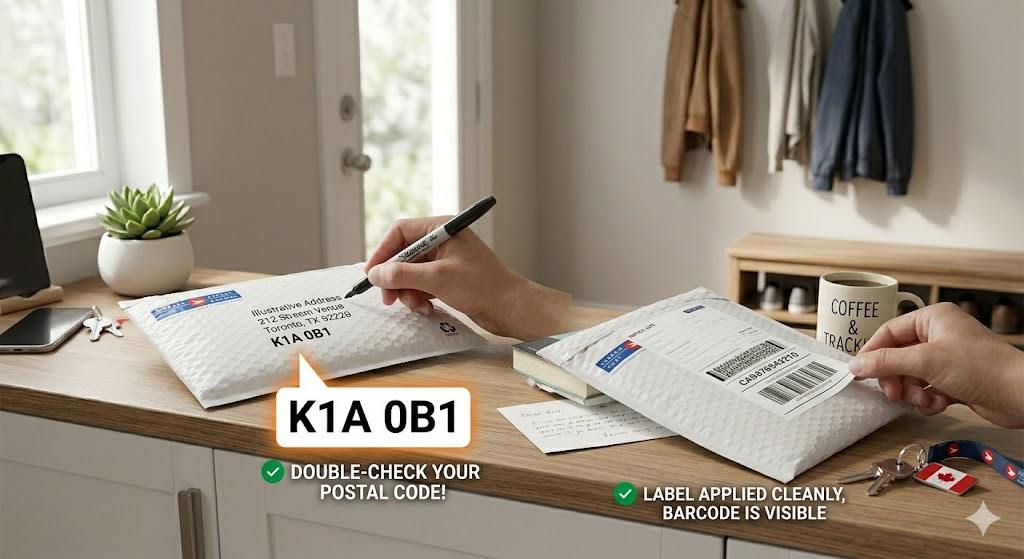
To make canada post tracking work perfectly, you need a good start. Always double-check the postal code! A single wrong letter can send your package to the wrong province.
Also, make sure the label is clear and not covered by tape. If the scanner can’t read the barcode, the canada post tracking system won’t update. Using a high-quality shipping label is the best way to ensure your parcel reaches its destination without any “hiccups.”
FAQs
1. How many digits are in a canada post tracking number?
Domestic numbers are usually 16 digits. International numbers use a format with 2 letters, 9 numbers, and “CA” at the end.
2. Can I track a package without a tracking number?
Generally, no. You need the number, a delivery notice card, or a reference number provided by the sender.
3. What does “In Transit” mean?
It means your package has been scanned at a facility and is currently traveling to the next location or your local post office.
4. Why did my package go to a different city?
Mail is often sent to large “sorting hubs” first. Even if a city seems out of the way, it is usually the fastest route through the network.
5. How long does Canada Post keep tracking info?
Tracking information is usually available online for about 90 days after the package is delivered.
6. Does Canada Post deliver on weekends?
Standard delivery happens Monday through Friday. However, during peak holiday seasons, they sometimes deliver on weekends to catch up!
Conclusion:
In our busy world, canada post tracking gives us the peace of mind we need. It turns a “waiting game” into a clear, visual journey. By understanding how the numbers work and what the statuses mean, you can stay in control of your deliveries.
Next time you ship or order something, keep that tracking number handy! It is the best tool you have to ensure your items arrive safe and sound. Do you have a funny or interesting story about a package delivery? Feel free to share your experiences!